

Knowledge base › Survey guide
Survey guide
Using RAW GNSS Data Recorded on the CEESCOPE™ for Post Processed Precise Positioning in HYPACK®
When you can’t run RTK in real time, record raw GNSS on the CEESCOPE™, convert it to RINEX, post-process it against a base station to get a PPK file with time, position and height, then load it in HYPACK SBMax with “Use Post Processed GPS” to replace the real-time positions with centimetre-accurate ones.
cm accuracy after PPK
RINEX export format
Time essential column
SBMax where it’s applied
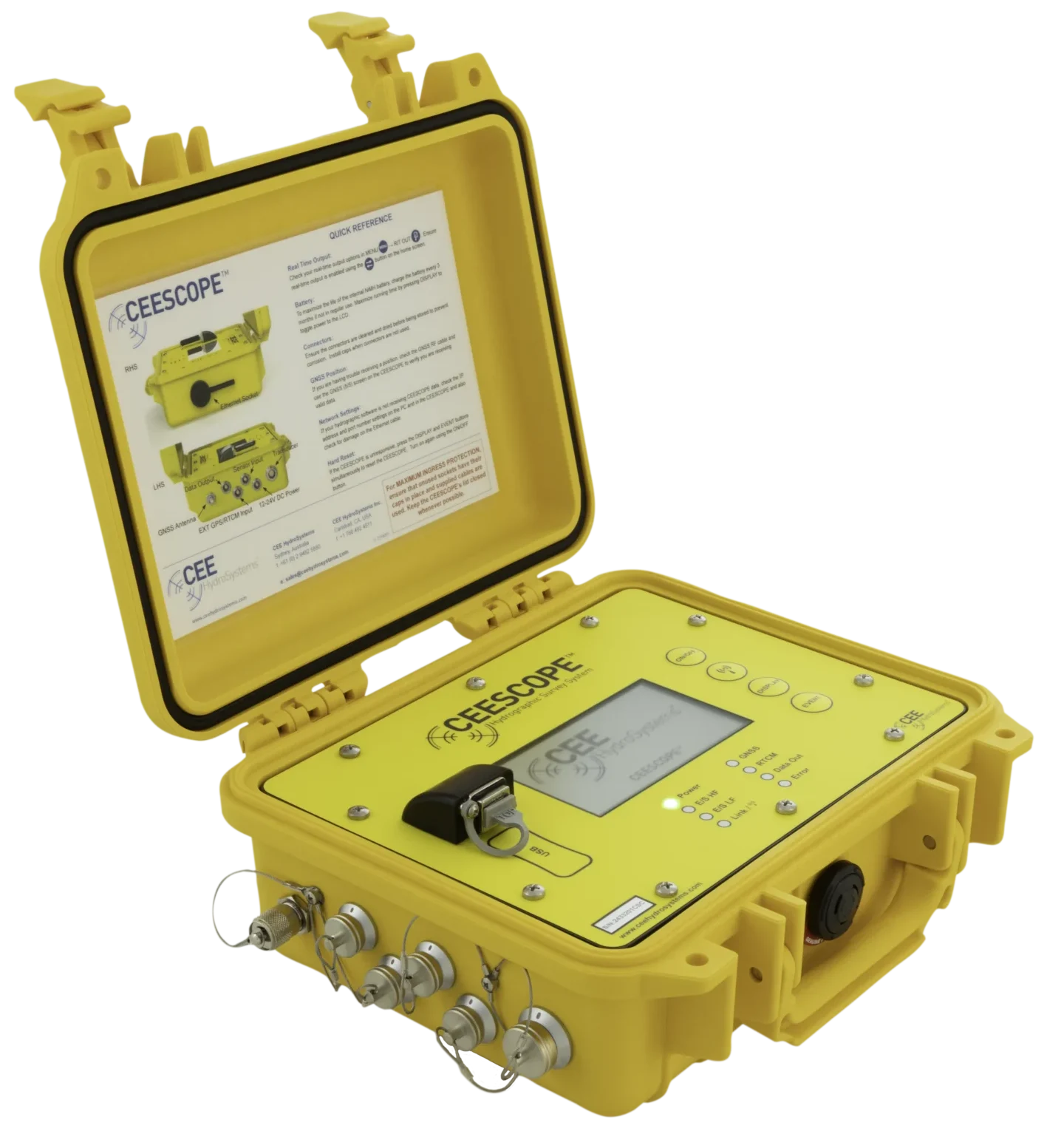
A CEESCOPE™ with a NovAtel L1/L2 receiver (and the RTK CEESCOPE™ generally) can record raw GNSS data to internal memory or a USB drive. Post-processed against a fixed base station, it gives much more accurate position and elevation. This is useful when the deliverable needs accurate position and elevation but you can’t run an RTK base with a real-time radio link. Lower grade real-time GNSS is used for navigation during the survey, then replaced in software that supports it, such as HYPACK®.
How do I make the PPK file?
- Export the raw GNSS data from the CEESCOPE™.
- Convert it to RINEX (Receiver Independent Exchange) format.
- Process it with third-party software or a service, adding reference station corrections, to get a PPK file, usually a CSV or similar text file.
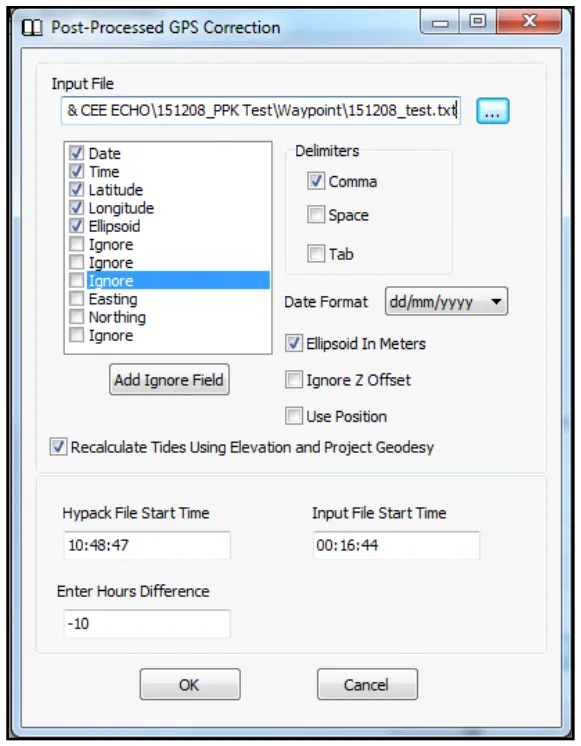
The file needs at least time, position and height (if you also want level corrections). Time is critical: without it, the improved positions can’t be matched to the survey data.
A sample PPK file is shown below:
| Date | Time | Latitude | Longitude | Ellipsoid height |
|---|---|---|---|---|
| 8/12/2015 | 0:16:44.000 | -33.6309170389 | 151.1901549778 | 23.464 |
| 8/12/2015 | 0:16:45.000 | -33.6309172528 | 151.1901546222 | 23.462 |
| 8/12/2015 | 0:16:46.000 | -33.6309174639 | 151.1901542639 | 23.455 |
| 8/12/2015 | 0:16:47.000 | -33.6309176667 | 151.1901538833 | 23.450 |
What should I check first?
- The PPK file must start before and finish after the survey.
- The antenna height may already be applied in the PPK file. Don’t apply it twice: set the HYPACK® antenna height to 0.00 if needed.
- Check the GNSS quality filter. In PPK, quality 1 is good; in NMEA output, 1 means uncorrected.
How do I apply it in HYPACK®?
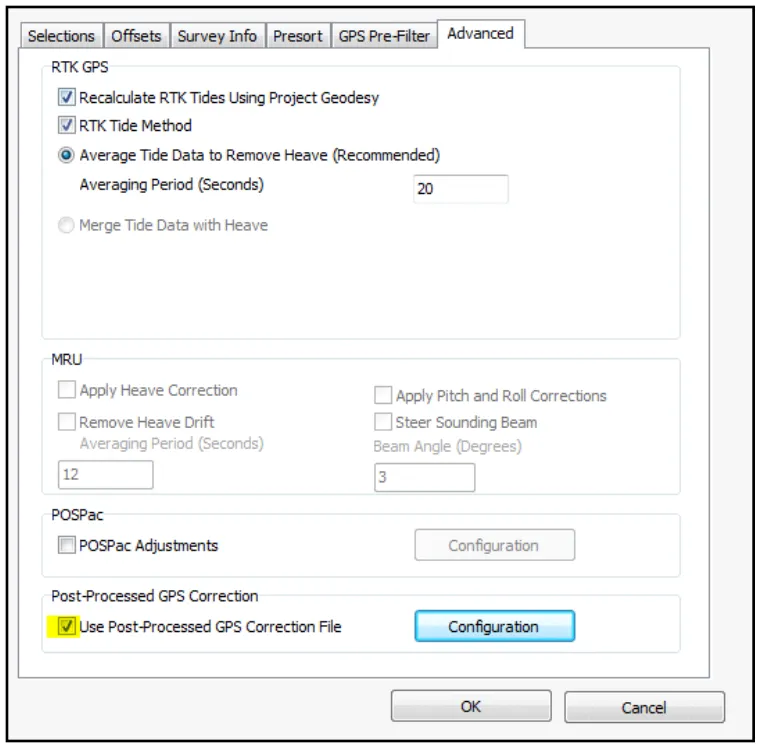
- Load the HYPACK® RAW file in the SBMax editor, tick Use Post Processed GPS and press Configure.
- Set the parsing so HYPACK® reads the right columns. Add a time offset to convert GNSS time to local project time. Heights may already be corrected, or may need shifting from ellipsoid height to the project geodesy.
- Load the data and process as normal.
For real-time options, see which GNSS corrections to use.
Equipment used

Talk to US
Need a hand with your set-up?
Our engineers answer survey questions every day.