

Search
Product
Topic
All articles

Knowledge base · Jun 2025
How do I use Trimble RTX with the CEESCOPE™?

Knowledge base · Feb 2025
Why won’t my CEESCOPE™ get an RTK fix?
Knowledge base · Jan 2025
What are the 10 most common CEE echo sounder setup mistakes?
Knowledge base · Nov 2024
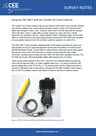
How do I connect the CEE-LINE™ to a Trimble TSC5 over Bluetooth?
Knowledge base · Nov 2024
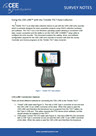
How do I connect the CEE-LINE™ to a Trimble TSC7?

Knowledge base · Jul 2024
How do I connect an Emlid Reach GNSS to the CEESCOPE™ or CEE ECHO™ over Bluetooth?

Knowledge base · Jan 2024
How do I survey from a jet ski (PWC)?
Knowledge base · Jul 2023
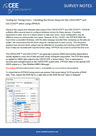
Testing HYPACK Driver Setup for the CEESCOPE™ and CEE ECHO™
This guide may be used to check a test RAW file recorded in HYPACK to make sure the driver setup is correct. The time stamps of the recorded RAW data lines are inspected to check that the time stamps are written correctly and no time offsets are present. Time offsets might be very small – from a few milliseconds – to very large – several hours.

Knowledge base · Jun 2023
Which HYPACK® drivers should I use with the CEESCOPE™ and CEE ECHO™?
Knowledge base · Jun 2023
Driver Selection in HYPACK for the CEESCOPE™ and CEE ECHO™ – HYPACK 2021 Q2 AND EARLIER ONLY!
HYPACK offers two methods to acquire data when using CEE echo sounders with the proprietary time-stamped output format. When using the echo sounder and GNSS alone, as in most SBES surveys, the special CEE time stamps may be used for maximum timing precision. If using ancillary devices without time stamped data such as side scan, an alternative driver setup is required.