

Knowledge base › Survey guide
Survey guide
How do I tune the CEESCOPE™ or CEE ECHO™ echo sounder for a difficult bottom?
Start in Auto, which sets the pulse length, detection threshold and gain for you, and use Auto Shallow on the high frequency in water under about 8 m. Switch a channel to Manual only when Auto can’t hold a clean depth, and change one setting at a time. TVG, blanking and max depth are set separately and apply in every mode.
Auto right for most surveys
< 8 m use Auto Shallow
3 manual settings: pulse, threshold, gain
3 TVG options: off, 10 log, 20 log
Start in Auto: the echo sounder sets the pulse length, detection threshold and gain for you, and that suits most surveys. In water under about 8 m, use Auto Shallow on the high frequency. Switch a channel to Manual only when Auto can’t give a clean depth, then change one setting at a time and watch the echogram.
TVG, blanking, max depth and frequency are set separately and apply in every mode. These settings are the same on the CEESCOPE™, CEESCOPE LITE™ and CEE ECHO™.
Which echo sounder mode should I use?
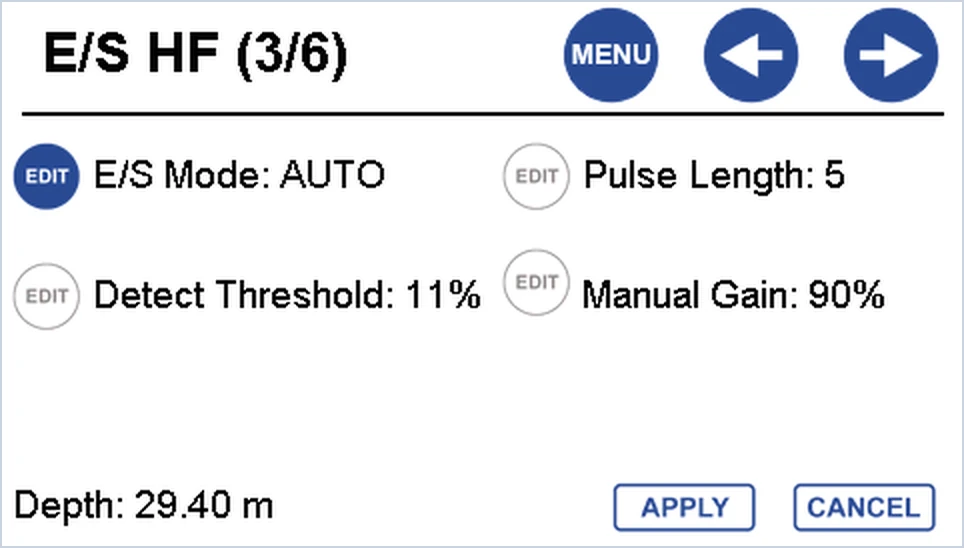
Set the mode on page 3/6 for the high frequency (MENU → E/S → RIGHT twice) and page 5/6 for the low frequency. Press EDIT next to E/S Mode to scroll through the options, then APPLY.
| Mode | Channels | Use it for |
|---|---|---|
| Auto | High and low frequency | Most surveys. Sets the pulse length, detection threshold and gain to suit the conditions. |
| Auto Shallow | High frequency | Water up to about 8 m. Uses ultra-low transmit power and sensitive listening; depths of 0.15 m have been recorded. Turn the low frequency off for best results, and go back to Auto beyond 8 m. |
| Manual | High and low frequency | Unusual conditions where Auto can’t hold a clean depth, such as vegetation or acoustic noise. You set the pulse length, threshold and gain. |
You can run one frequency in Auto and the other in Manual. Your manual settings are saved, so switching to Auto and back to Manual brings them back.
What do the manual settings do?
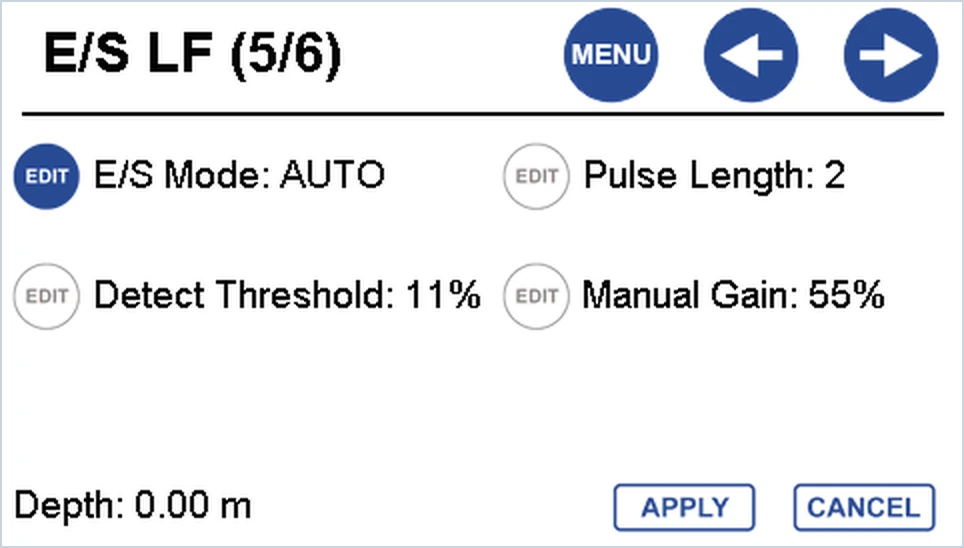
These only become editable in Manual mode: the EDIT buttons turn solid blue.
Pulse length (HF 1–35, LF 1–30 cycles)
The number of cycles in each ping, which sets the transmit power. Shorter pulses give better depth resolution, so use just enough to read the depth without overpowering the echo sounder.
- Longer in deep water, or where the bottom absorbs the sound and the echo is weak, such as thick sediment or vegetation.
- Shorter in very shallow water, which needs very little power.
Detection threshold (1–50%)
The signal strength that counts as the bottom.
- Higher in turbid water, where weak returns come from right through the water column and you want the stronger seabed echo. On the low frequency, a higher threshold helps read the true depth through deep sediment.
- Lower to pick up weaker returns, such as the top of vegetation, rather than the true depth.
Manual gain (30–100%, in 5% steps)
Amplifies the received signal. It’s separate from TVG, below.
- Higher when the echoes are weak.
- Lower when the echogram is cluttered or the depth picks up noise.
Nothing is lost while you tune. The echo sounder records the full water column echogram, so in HYPACK® or Hydromagic you can re-digitise the bottom later if the setting wasn’t ideal. See what is an echogram?
Which settings apply in every mode?
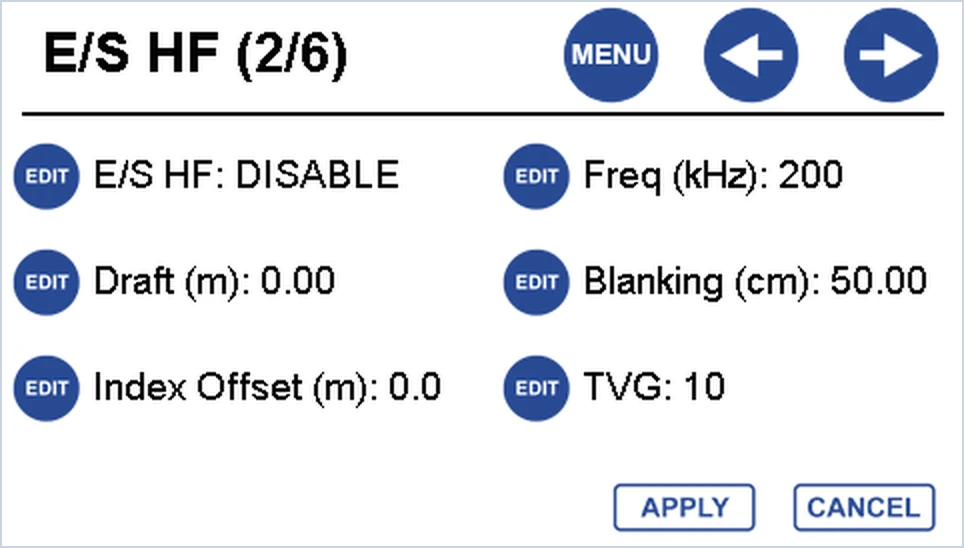
TVG (time varied gain)
Sound loses energy as it travels, so TVG adds more gain the longer the echo takes to come back. It isn’t part of Auto mode, so set it yourself on page 2/6 (high frequency) or 4/6 (low frequency).
- OFF: very shallow water (under 10 m), or a very hard bottom that reflects strongly.
- 10 (10 log): most shallow water surveys.
- 20 (20 log): deeper water (50–200 m), or where the seabed absorbs much of the sound.
Blanking
Blanking ignores the first part of each ping, while the transducer is still ringing from transmitting. Too short and the depth spikes towards zero; too long and you can’t measure depths shallower than the blanking plus the draft. The high frequency has three blanking modes (MANUAL, MINDEPTH and ADAPTIVE); see which blanking mode should I use? Blanking can be changed while you’re logging.
Max depth and ping rate
Set Max depth on page 1/6 deeper than anything you expect, including any sub-bottom you want to see. Anything beyond it is ignored, so if the bottom drops past it, there’s no depth. A deeper max depth also lowers the highest ping rate, because each echo takes longer to return: in 100 m of water the echo sounder can only ping about 6 times a second. See why does ping rate matter?
Frequency
Change the operating frequency to match your transducer, or to move away from interference from another echo sounder on the same frequency: 190–210 kHz on the high frequency, 22–36 kHz on the low frequency.
What should I change for my problem?
| What you see | Try |
|---|---|
| No depth in very shallow water | Auto Shallow on the high frequency, with the low frequency turned off. Check the blanking isn’t longer than the water is deep, and try TVG OFF. |
| Depth spikes towards zero | Lengthen the blanking, or use MINDEPTH blanking in very shallow water. |
| Depth jumps to returns in the water column (turbid water) | Manual mode with a higher detection threshold. |
| Depth follows the top of vegetation or soft sediment | Raise the detection threshold and pulse length, or use the low frequency to reach the firmer bottom. See surveying in vegetation and dual frequency for sedimentation. |
| Weak or lost bottom in deep water or soft mud | A longer pulse, more gain, and TVG 20. |
| Depth lost where the bottom drops away | Increase Max depth. |
| Interference from another echo sounder | Move the operating frequency within its range. |
| Depth correct in the shallows but wrong in deeper water | Not a tuning problem: check the sound velocity with a bar check. |
Watch the echogram while you change settings. Look at it live, or review it in your survey software afterwards, to see whether each change helped. Change one setting at a time.
Related guides
Equipment used
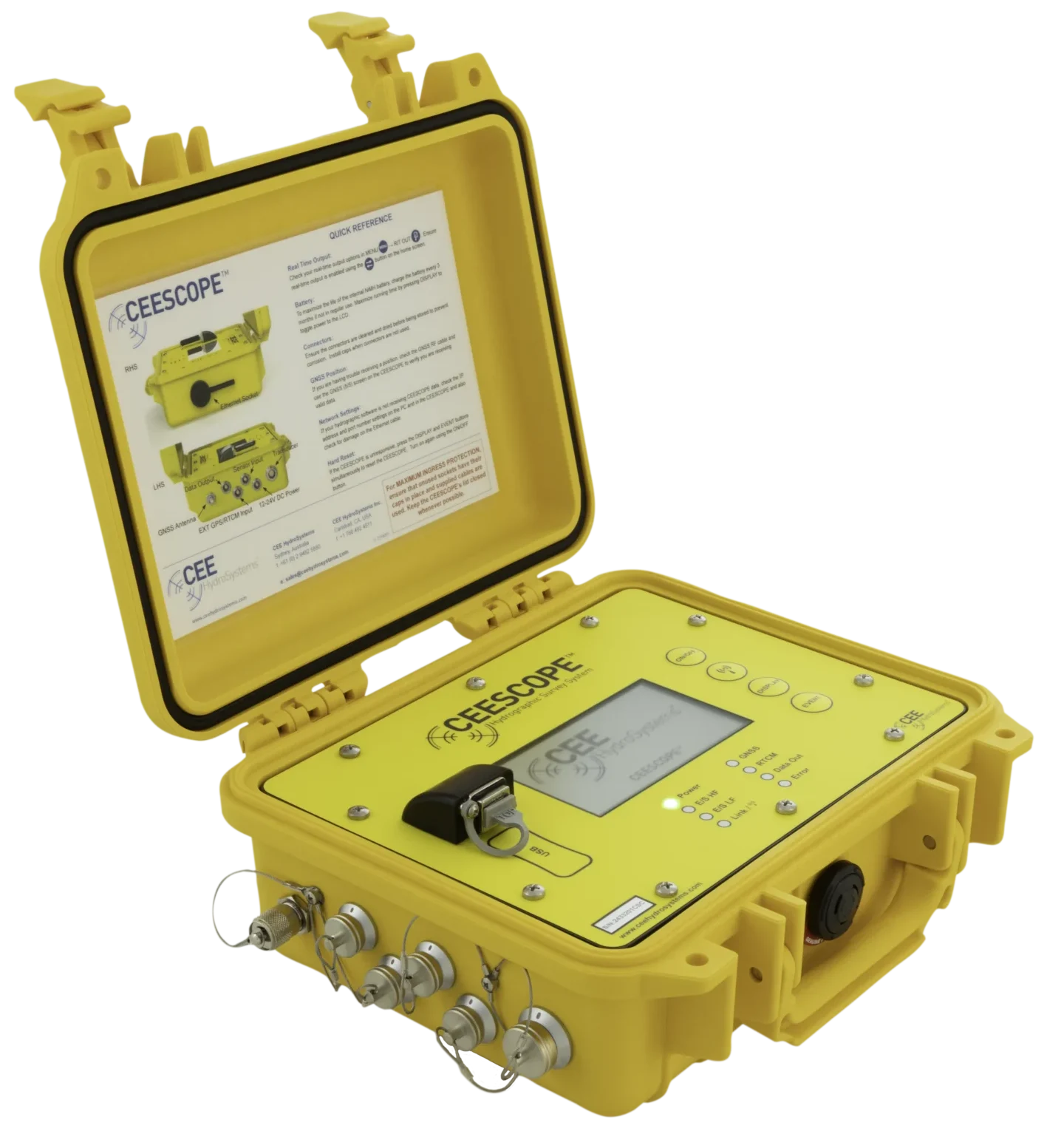
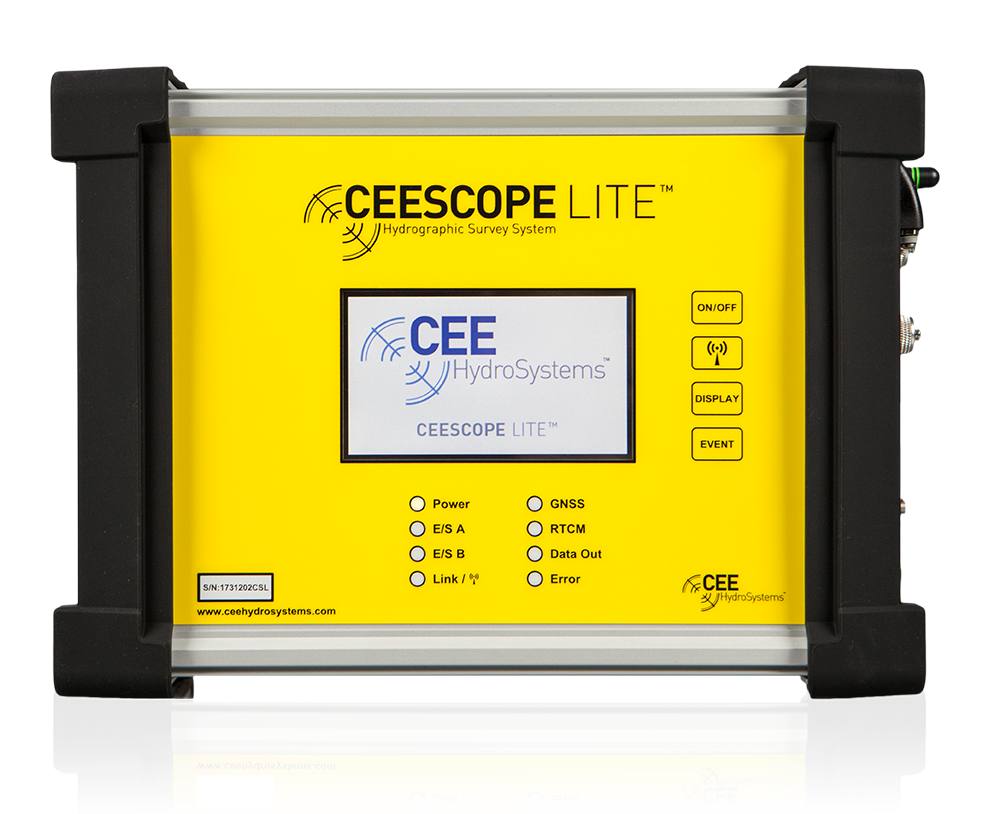
Single Beam Echo Sounder with Built-in GNSS
CEESCOPE LITE™
The whole CEESCOPE, in an even smaller footprint
View product
Talk to US
Need a hand with your set-up?
Our engineers answer survey questions every day.