

Knowledge base › Survey guide
Survey guide
How do I survey through vegetation, and map seagrass extent?
In vegetation, any single beam echo sounder may take the top of the weed as the bottom and report it too shallow. Recording the full echogram lets you re-digitise the real bottom afterwards. Do that and keep the original soundings too, and the difference between the two surfaces gives you plant height and seagrass extent.
3,200 echogram slices per ping
5 × 5 m TIN grid in the example
~15 m line spacing used
370 × 275 m San Diego Bay test area
Why do echo sounders struggle in vegetation?
A land surveyor with an RTK rover can see the pole touching the ground. With an echo sounder you can’t see whether the sonar beam is actually touching the bottom; you rely on the depth it reports. A bar check proves the sonar reads correctly, but only in perfect conditions, off a flat metal plate. You can’t assume any echo sounder will always report the right depth in soft mud or silt, or in underwater or floating vegetation.
- In thick vegetation, or a heavy suspended sediment load, a basic 200 kHz echo sounder may report a depth shallower than the real bottom.
- A digital-only echo sounder gives you no way to check that afterwards.
- Low ping rates (1–5 Hz) make it worse: the data is so sparse it may be impossible to find the real bottom, and the survey becomes useless.
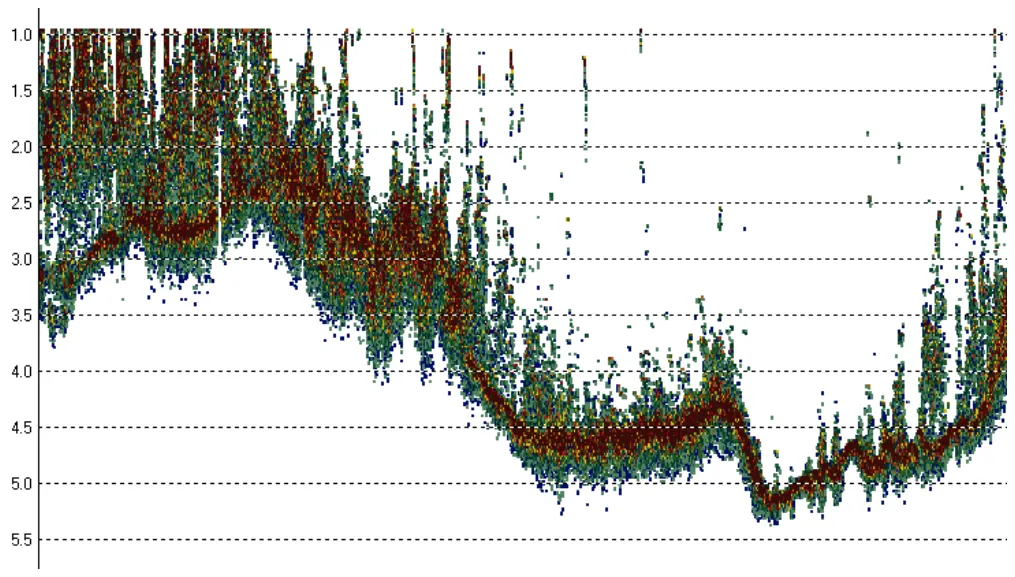
How does the echogram help?
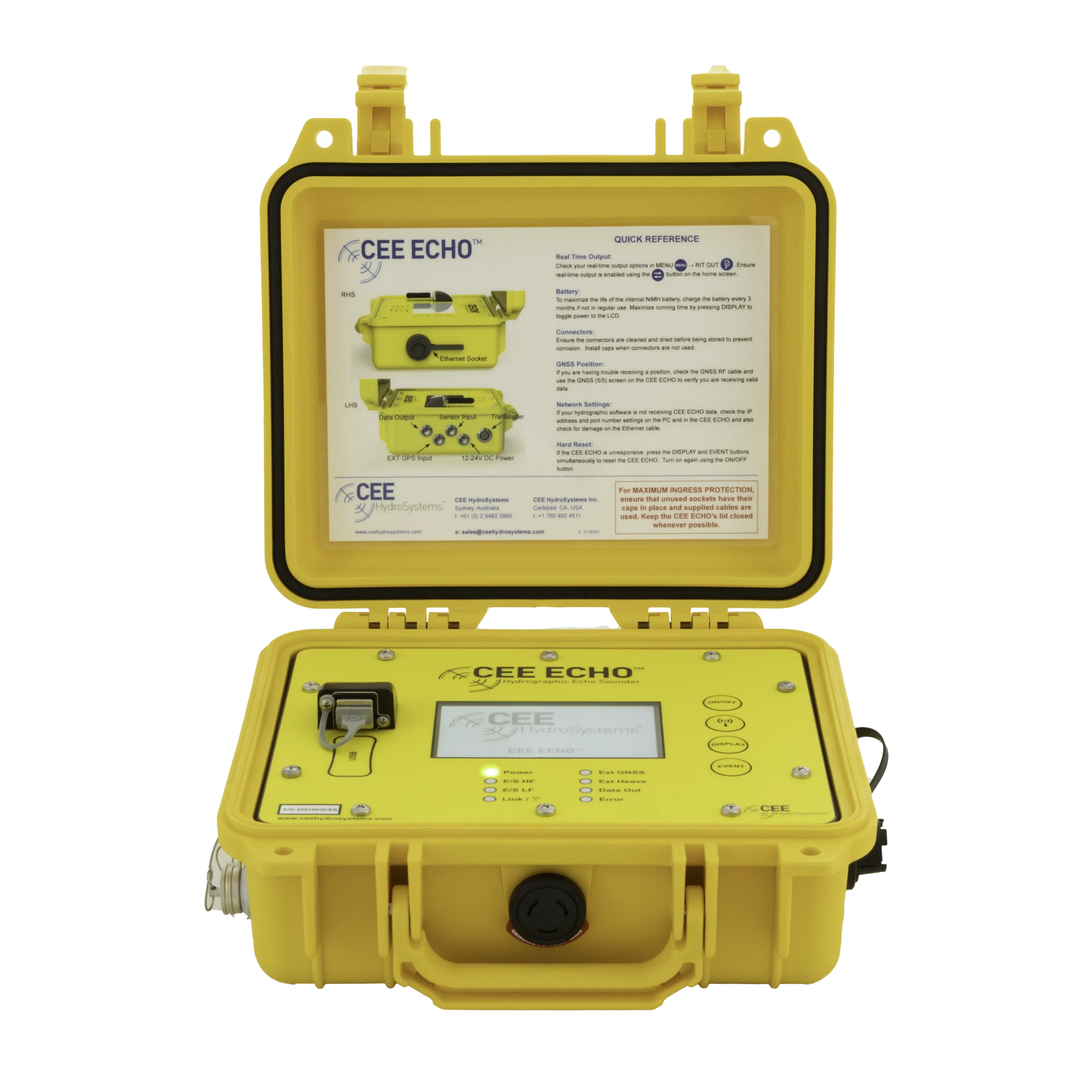
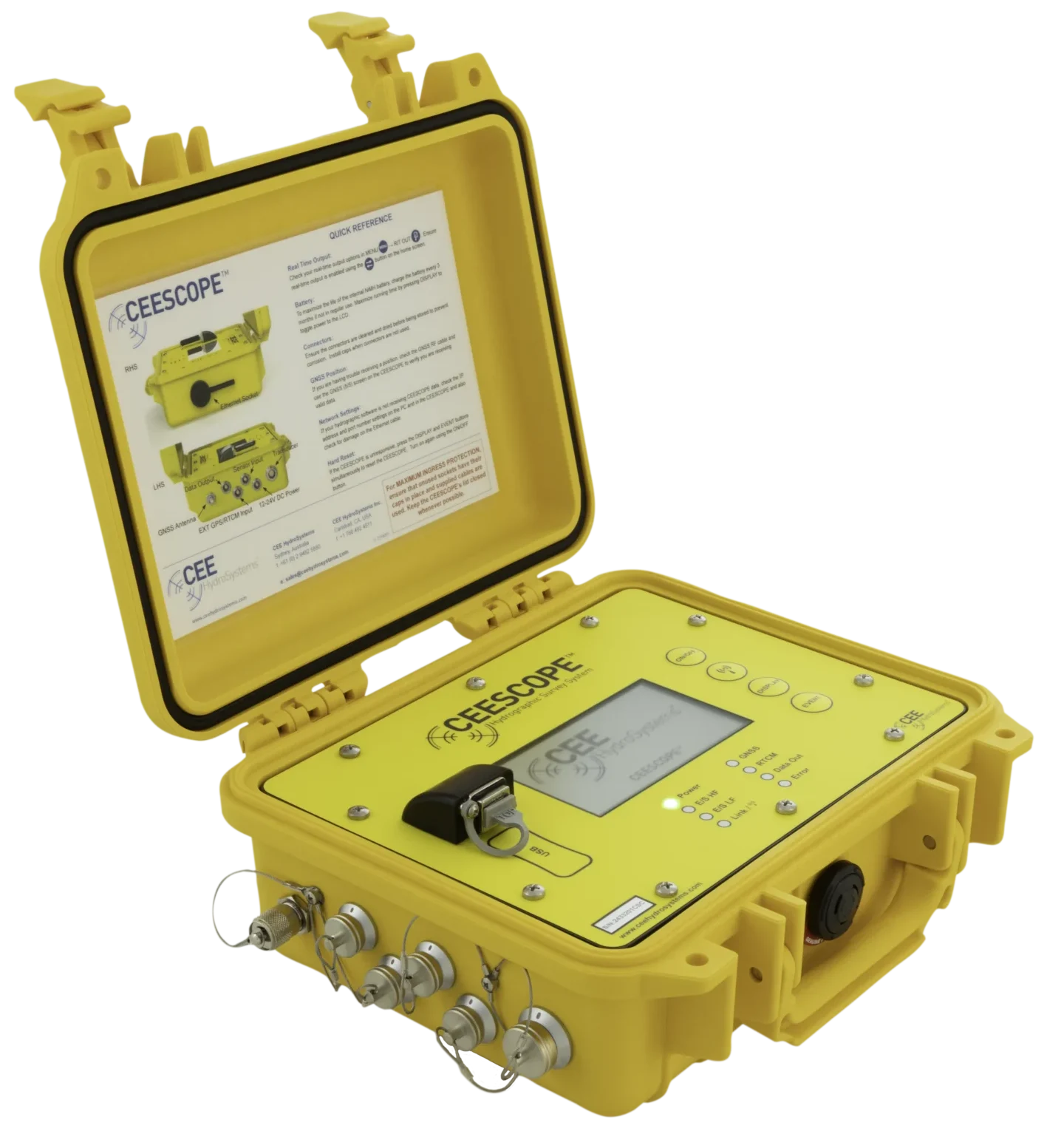
The CEESCOPE™ and CEE ECHO™ ping up to 30 times a second and record the whole returned echo. An algorithm picks the most likely bottom for each ping (the digital depth), and the echo response is also split into 3,200 slices and recorded as an echogram. See what is an echogram.
- With hydrographic software you see the echogram in real time and can check the bottom is being found.
- Even with no computer connected, the echogram is recorded inside the echo sounder, so vegetation-affected data can be fixed afterwards.
- If the bottom isn’t tracked perfectly in real time, you can re-digitise each line to the proper bottom in post-processing. A digital-only, low ping rate echo sounder would probably underestimate the depth and overestimate the bottom elevation in Figure 1.
- A dense point cloud means you can thin heavily and still keep good results.
Even in ideal conditions, the echogram lets you report results with a high degree of confidence.
How do I map seagrass (SAV) extent?
When underwater vegetation (SAV) is the survey goal rather than a nuisance, the echogram plus editing software such as HYPACK® can measure plant height and coverage. The method was shown on eelgrass in San Diego Bay, a well-known eelgrass habitat.
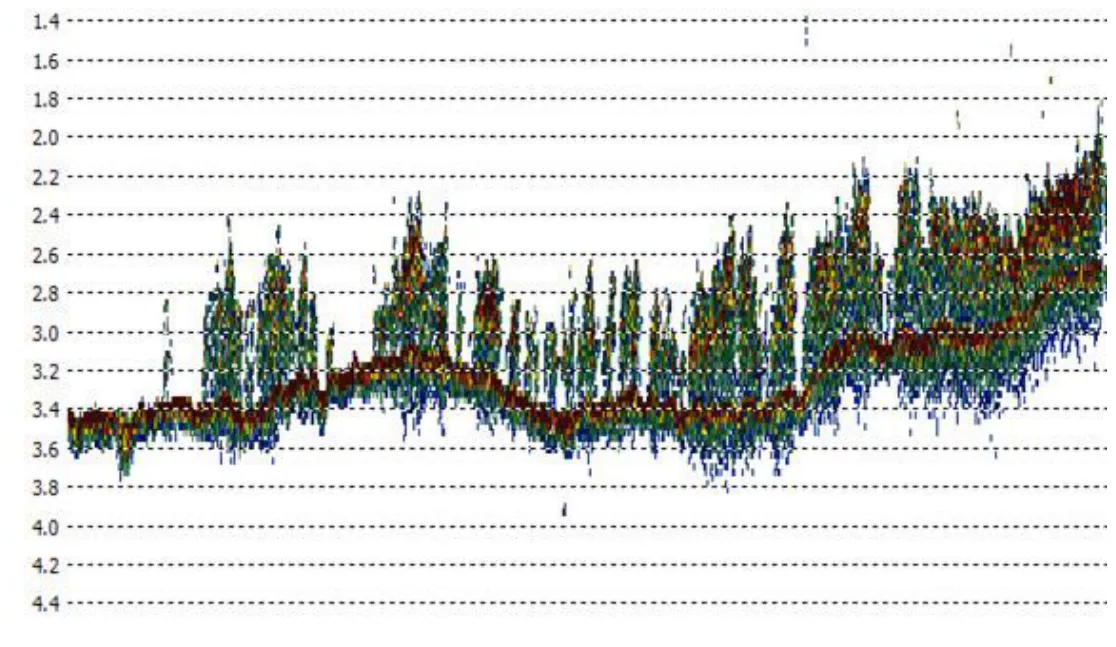
1. Set up the echo sounder
- Use a low detection threshold, so bottom tracking picks the first sonar return: the top of the vegetation.
- AUTO bottom tracking usually works best: it gives enough energy to detect the canopy and still reach the real bottom.
- Run a test line over the vegetation to check both the canopy and the real bottom show on the echogram.
- If needed (usually only very tall vegetation in quite shallow water), increase power in MANUAL mode above the AUTO level.
2. Survey
Watch the echogram in real time to make sure vegetation is mapped across the whole area. Record on the echo sounder and in HYPACK® as normal. The example covered 370 × 275 m (1200 × 900 ft) with lines about 15 m apart.
3. Make two surfaces
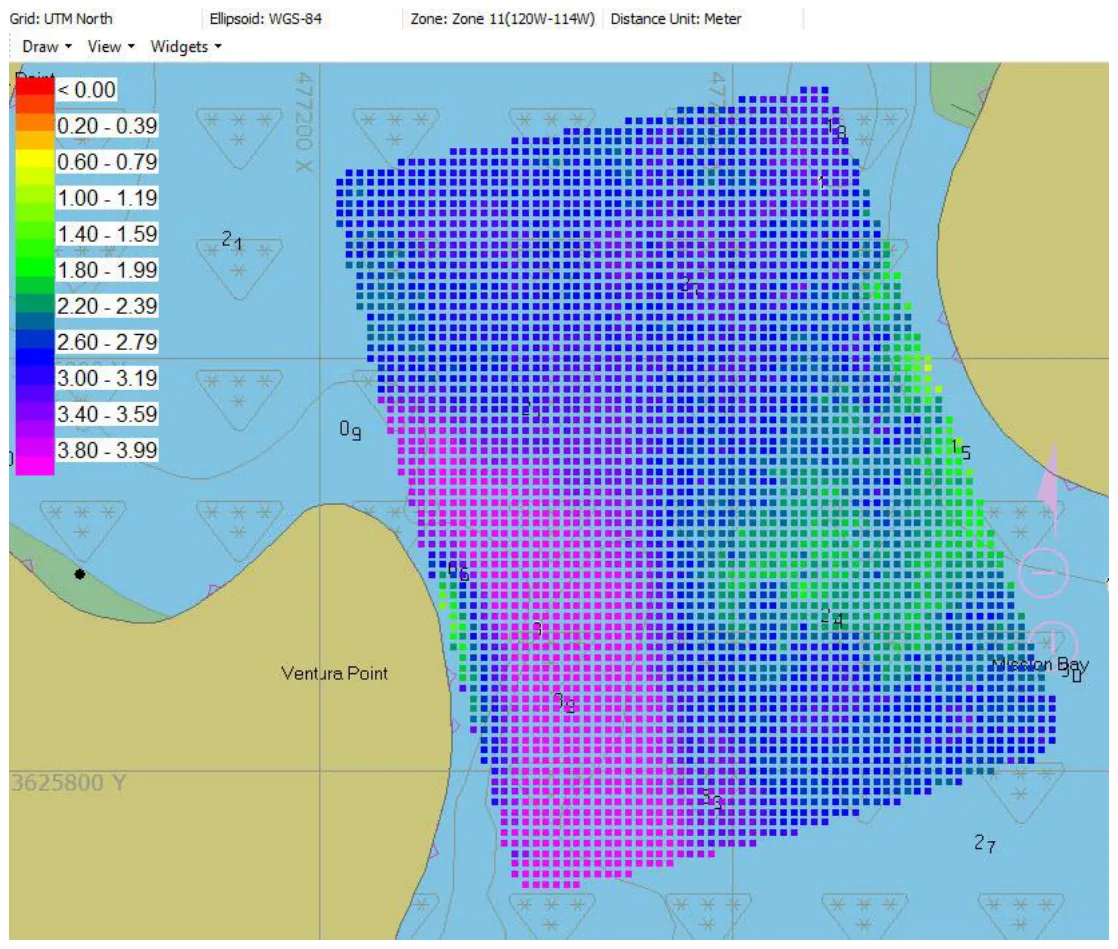
- After removing minor surface noise, export the digitised soundings. They show the top of the vegetation, and the real bottom where there’s no SAV (Figure 3).
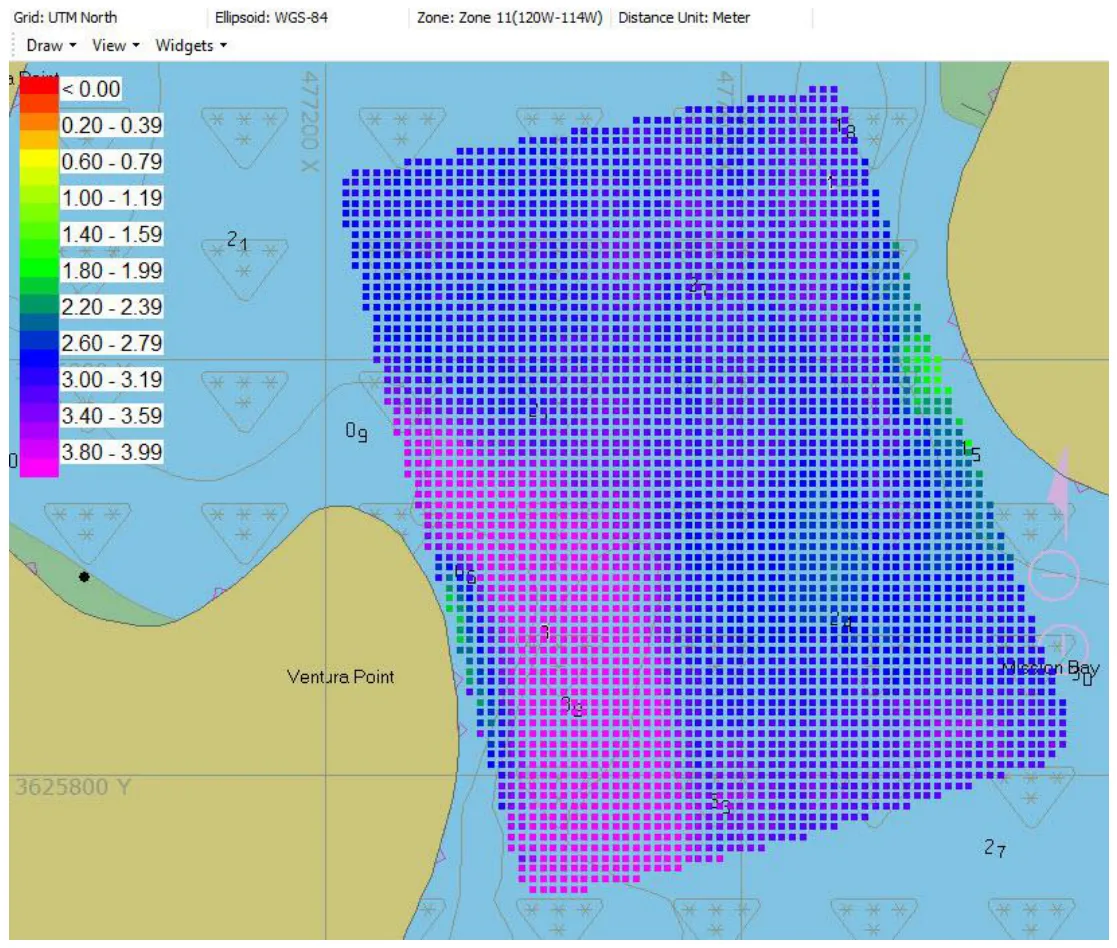
- In the HYPACK® Single Beam Editor (SBMax), use the digitiser to draw the real bottom on each line; in Figure 2 it’s the clear profile at 2.8–3.6 m. Export the same way (Figure 4). HYPACK®’s editing tools make this quick.
4. Subtract them
Where the two surfaces differ, there’s vegetation, and the difference is the plant height. HYPACK® can load both TIN surfaces and export the difference in several formats, including XYZ.
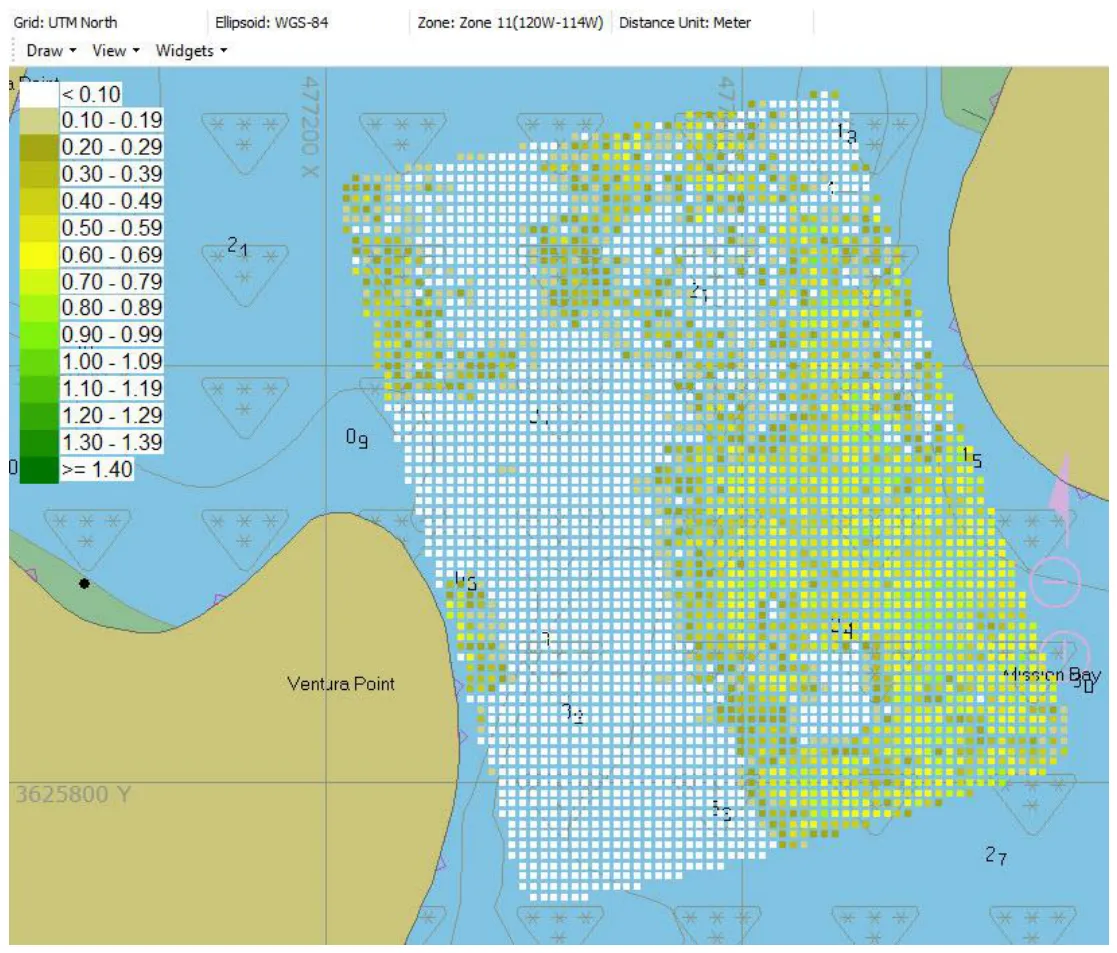
Choose your line spacing. A single beam measures under the track only, and the TIN interpolates between lines. Pick a spacing that represents the vegetation well for your project. A 5 × 5 m grid turns the results into a quantitative measure that can be checked with underwater photos or divers.
Using HYPACK® instead of a dedicated vegetation package means the same software and echo sounder handle your routine bathymetry too.
Equipment used

Talk to US
Need a hand with your set-up?
Our engineers answer survey questions every day.