

Knowledge base › Survey guide
Survey guide
How do I use the CEE-LINE™ with Carlson SurvCE?
In CEE-LINE CONNECT, output NMEA DBT (or DBS) at 9600 baud with max depth about 50% deeper than expected. In Carlson SurvCE, add a Depth Sounder peripheral, model Generic NMEA, on the right COM port at 9600, 8, None, 1. If Carlson reports a connection error, put the transducer in the water: it only outputs a valid depth when submerged.
DBT default output
9600 baud rate
8-N-1 serial settings
Generic NMEA Carlson model
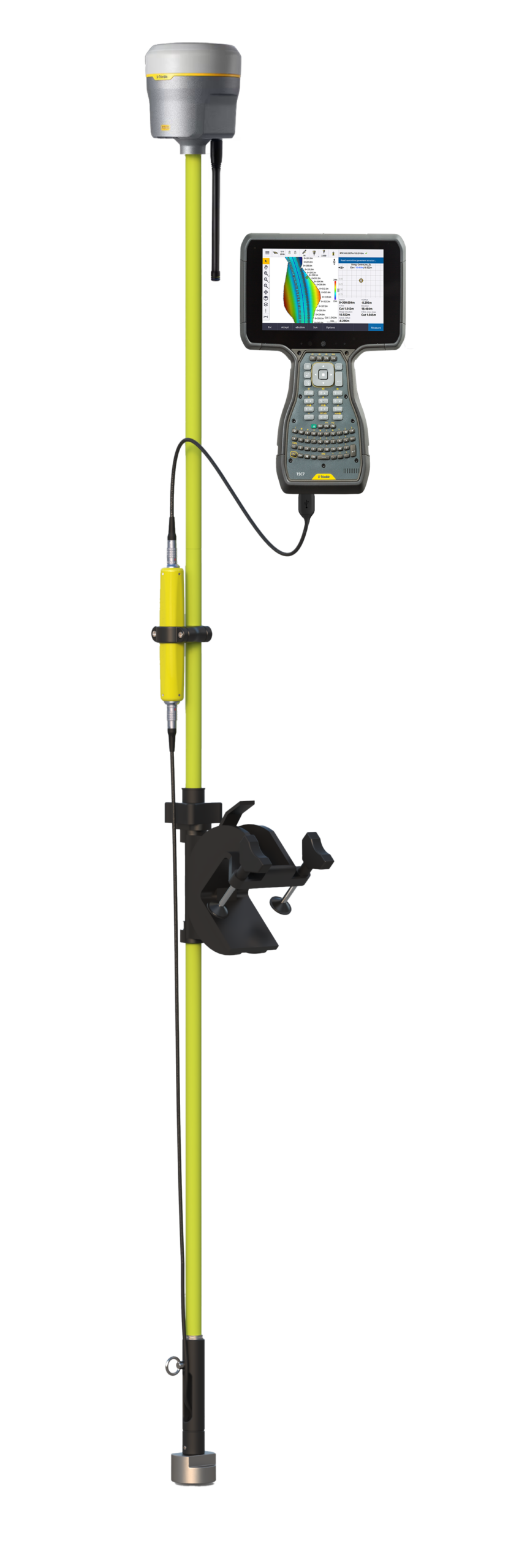
The CEE-LINE™ can be a peripheral in Carlson SurvCE while you GNSS survey: a simple, effective way to do basic hydrographic surveys without dedicated hydrographic software. See hydrographic vs land survey set-ups for the trade-offs.
1. Set up the CEE-LINE™
Install CEE-LINE CONNECT and connect with the “Smart” USB cable.
| Setting | Set to |
|---|---|
| Output format | NMEA DBT (factory default) or DBS |
| Baud rate | 9600 (default) |
| Max depth | About 50% deeper than expected |
| Sound velocity | The real value if known, otherwise 1500 m/s (default) |
| Ping rate | 10 Hz |
| Mode | AUTO, unless in very shallow, highly reflective conditions |
| Format | What it outputs |
|---|---|
| DBT (depth below transducer) | The measured depth; any draft is ignored. |
| DBS (depth below surface) | The measured depth plus any draft set in CEE-LINE CONNECT, as one value. |
More settings advice is in CEE-LINE™ shallow water survey tips.
2. Add it in Carlson SurvCE
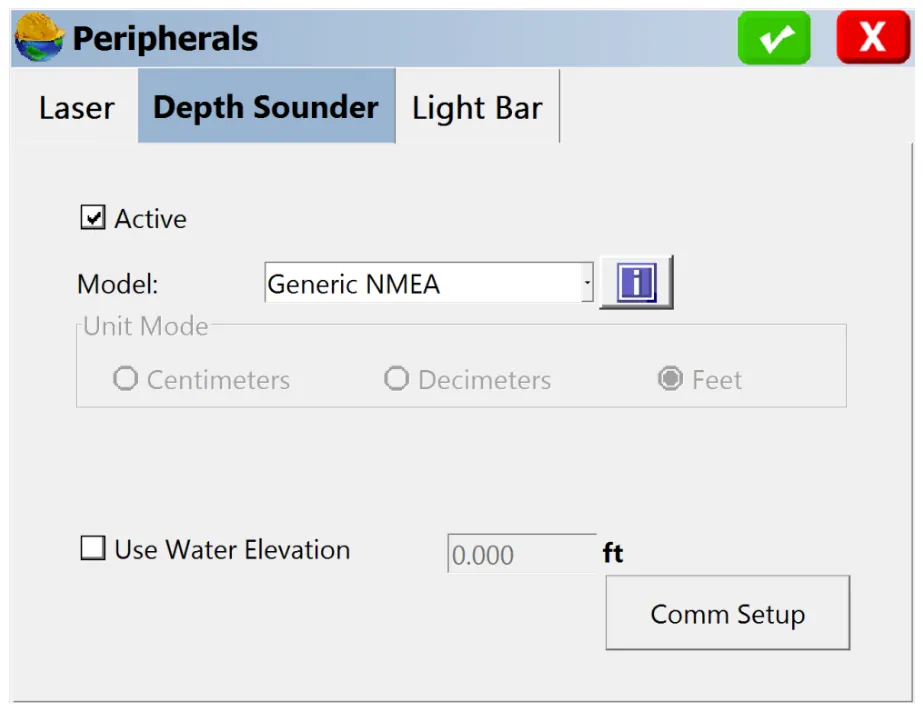
- Set up a Depth Sounder as a peripheral device, model Generic NMEA.
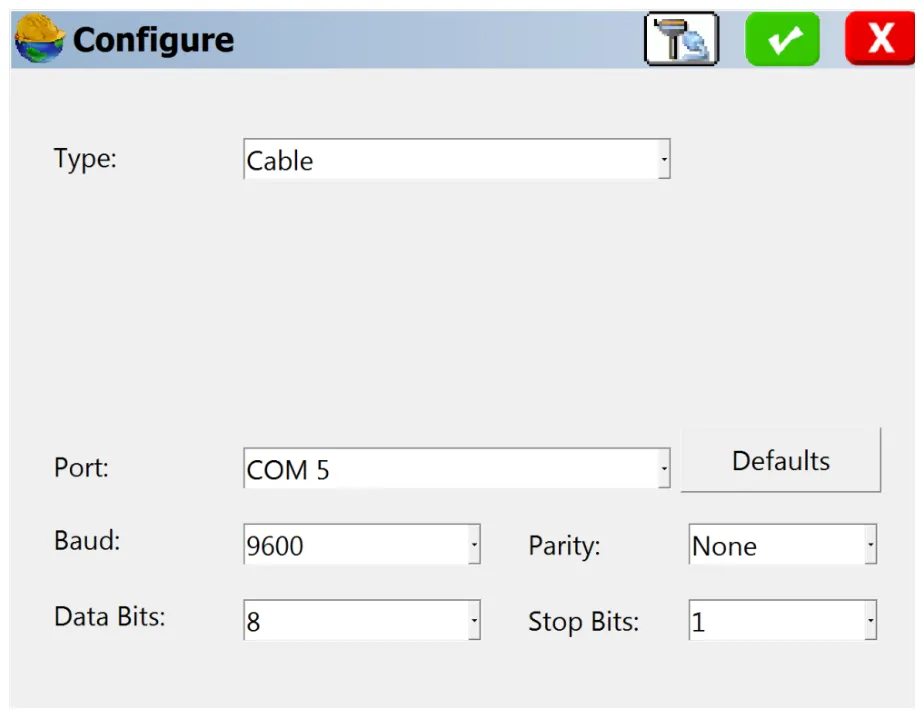
- Comm Setup: match the Carlson device’s serial port (port 5 is only an example), baud 9600, parity None, data bits 8, stop bits 1.
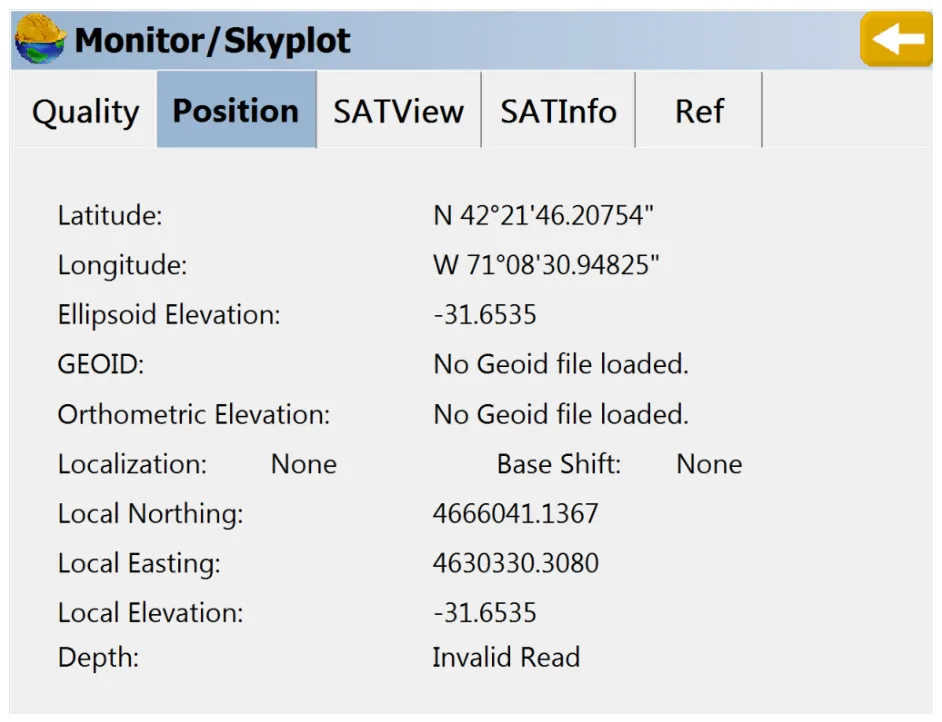
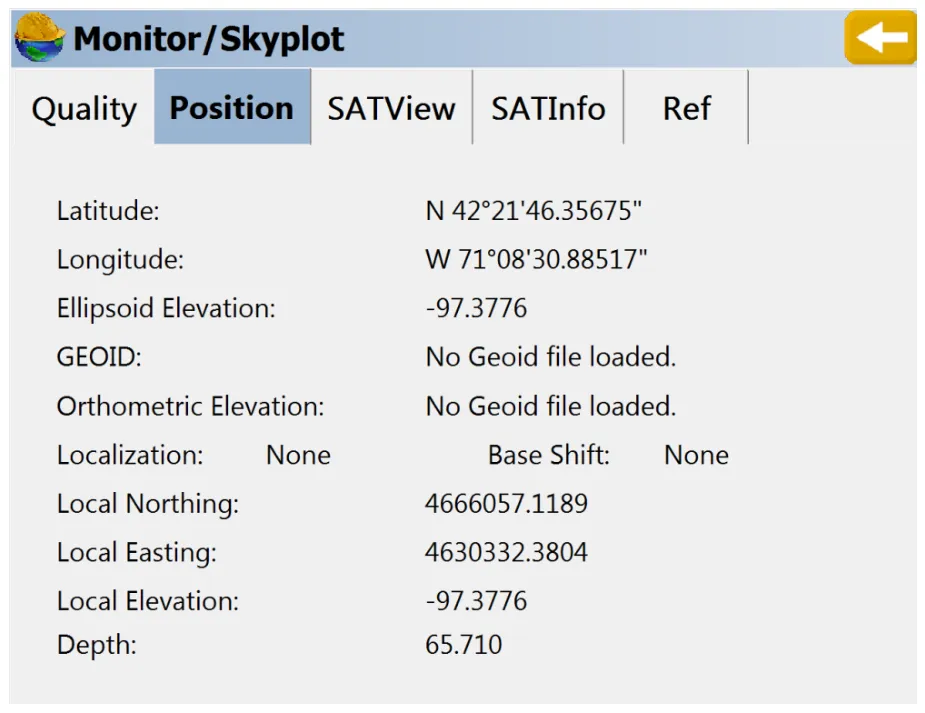
- In the Store Pts window, view device messages in Monitor/Skyplot. The Position tab shows the depth from the CEE-LINE™ (feet in our test, with a simulated position).
- Store points: the final elevation includes the measured depth.
Why does Carlson say connection error?
It’s probably not the connection. Carlson treats zero depth as an error. Echo sounders are designed to work in water, not air, and only output a valid depth with the transducer submerged. With no transducer, or a transducer out of the water, Carlson may report a misleading CONNECTION ERROR. Put the transducer in the water to get a valid depth, then reconnect.
- A valid depth is only output with enough signal strength, and when the depth is shallower than the max depth setting.
- Data quality depends on the environment and settings. Watch the depths constantly to check they’re consistent and repeatable.
Equipment used
Talk to US
Need a hand with your set-up?
Our engineers answer survey questions every day.