

Knowledge base › Survey guide
Survey guide
Do I need a base station set up on the local or mine grid?
No. The geodesy is set up in the hydrographic software (HYPACK, Hydromagic, QINSy or HydroPro), which converts the WGS84 positions from the CEESCOPE™ or CEE ECHO™ to your local or mine grid. You don’t need any special base station input, and you can even survey a local grid with standalone differential GNSS.
WGS84 echo sounder output
10–20 soundings per second
2 reference point pairs in Hydromagic
0 special base stations needed
It’s often assumed that a hydrographic survey on custom site calibration geodesy needs an RTK base station set up on the local or mine grid. It doesn’t.
How does the software handle the local grid?
Surveyors used to GNSS rovers and data collectors on a UHF or VRS network often haven’t seen how the same xyz data is collected under water. Accurate bathymetry needs many measurements (typically 10–20 soundings per second), filtered to find the real bottom, which a field data collector can’t handle. Hydrographic software on a field PC or tablet does the job instead, replacing both the data storage and geodetic calculations of the data collector.
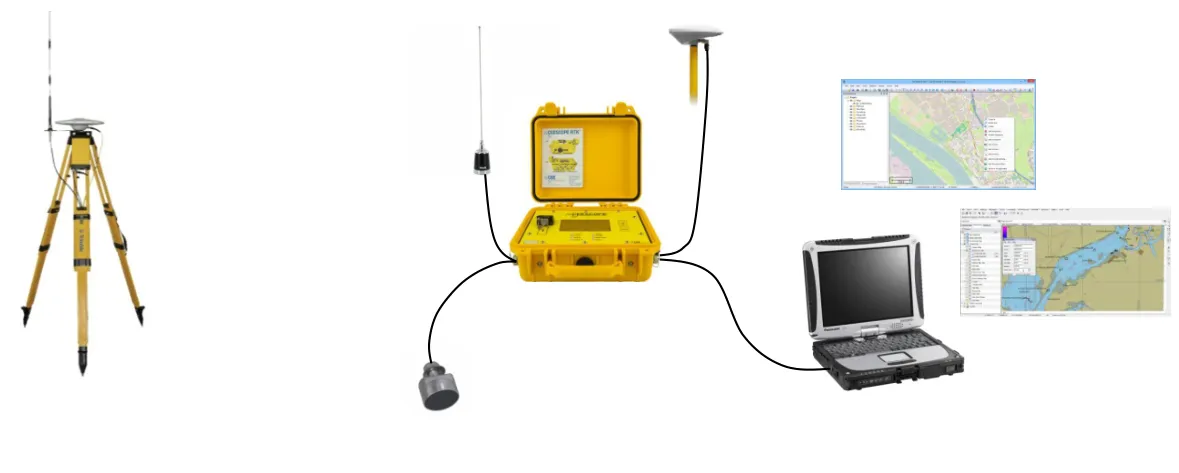
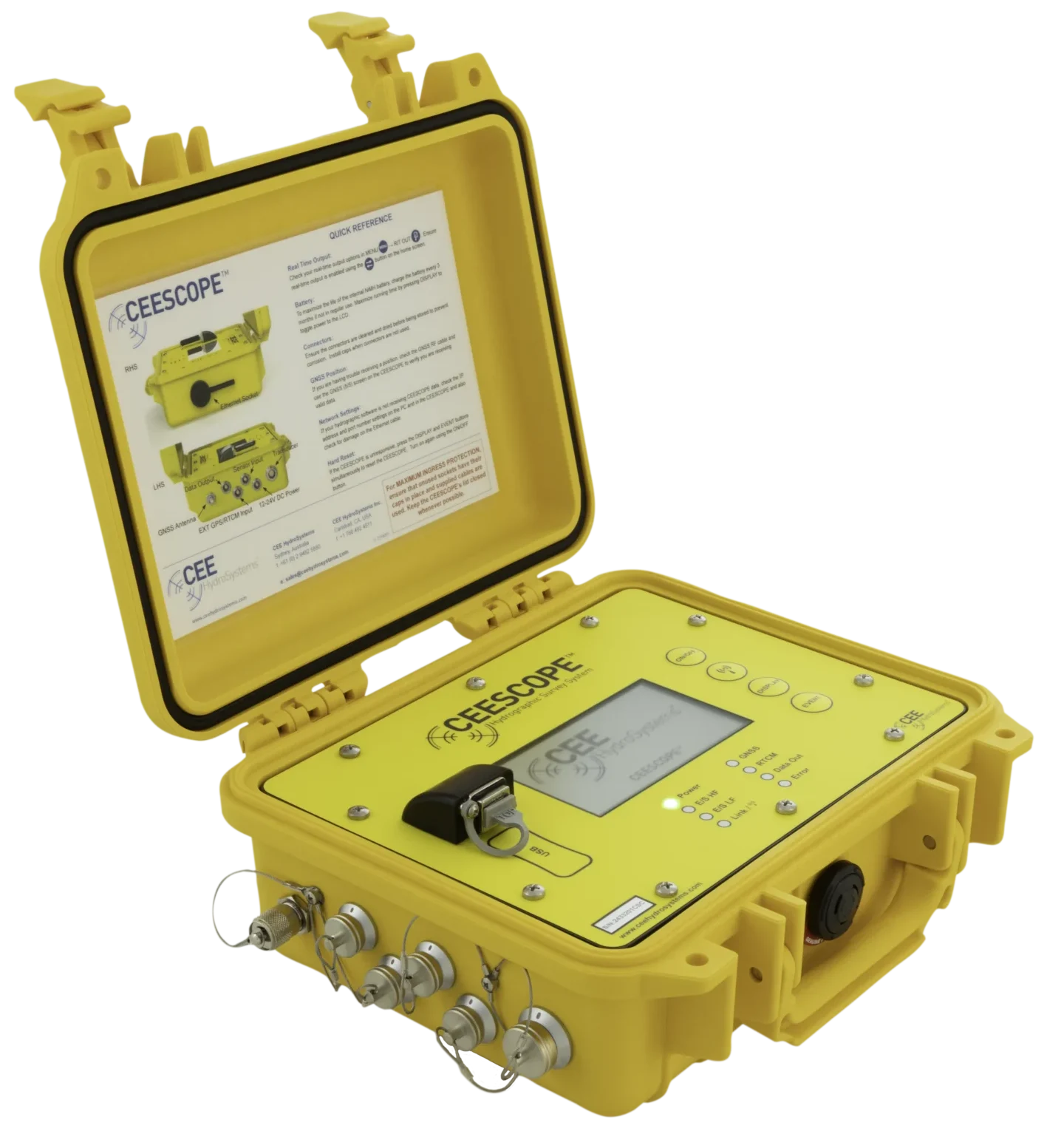
- CEESCOPE™: connects straight to the local UHF base radio once frequency, channel spacing and radio type are set. Its internal GNSS gives position at 1–20 Hz and the echo sounder records soundings at up to 30 Hz. Both, plus any heave, pitch and roll, are time-tagged with 1PPS, recorded internally and sent to the PC over Ethernet, Bluetooth, Wi-Fi or RS-232.
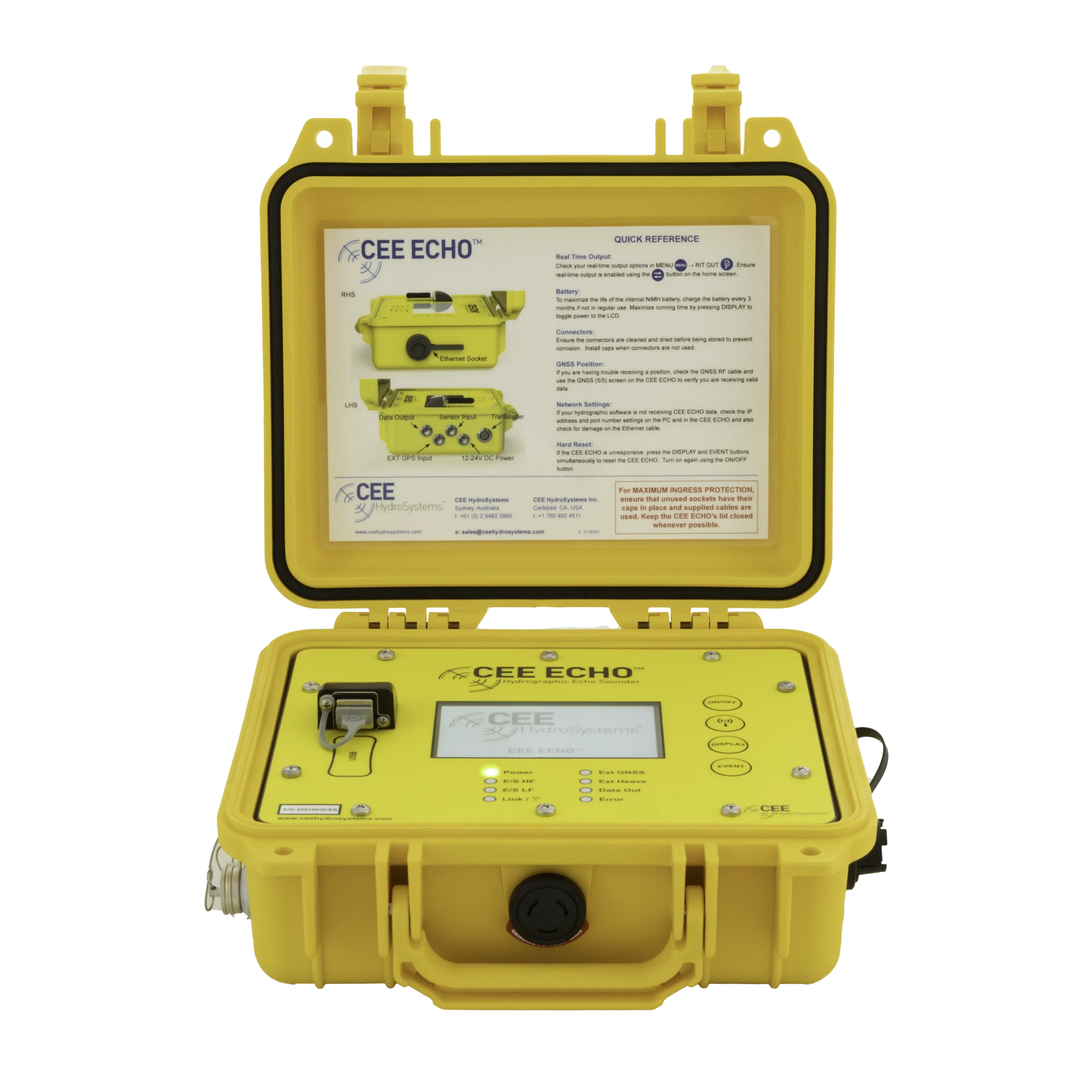
- CEE ECHO™: takes RTK-corrected NMEA 0183 from an external receiver at the rate set on the receiver, and time-stamps with GPS time instead of 1PPS. After that, the data is handled the same way.
The echo sounder outputs WGS84 and shows UTM on its screen. The software (HYPACK®, Hydromagic, QINSy or HydroPro):
- converts WGS84 to the coordinate system you select (for example NAD83 State Plane) and displays the boat position;
- takes the antenna height above the waterline and the geoid model for the area, and turns the WGS84 ellipsoid height into water surface elevation (the “RTK tide”);
- subtracts the sounding depth and transducer draft to give the bottom elevation.
The result is an xyz point cloud (up to 20 points per second in the original note) in your local grid and datum, ready to export to AutoCAD or other software after editing and thinning. See RTK tides explained.
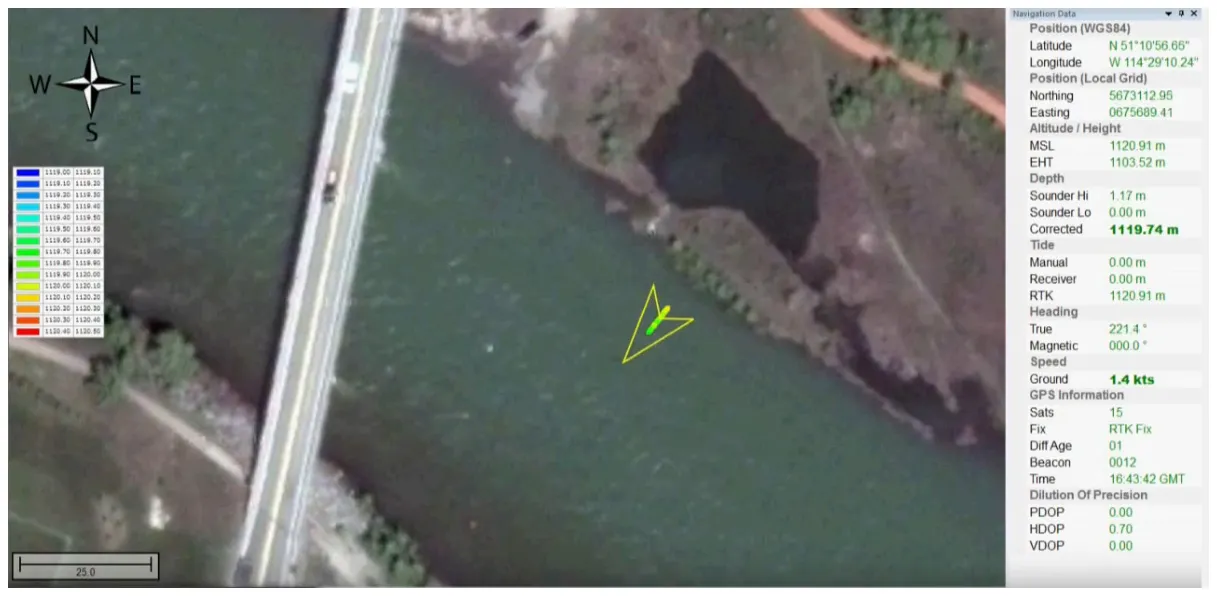
Check it: compare the water surface elevation from the software with a point shot from a GNSS rover. If the software, rover and base settings are right, they should be almost exactly the same.
How do I set up a local grid in Hydromagic?
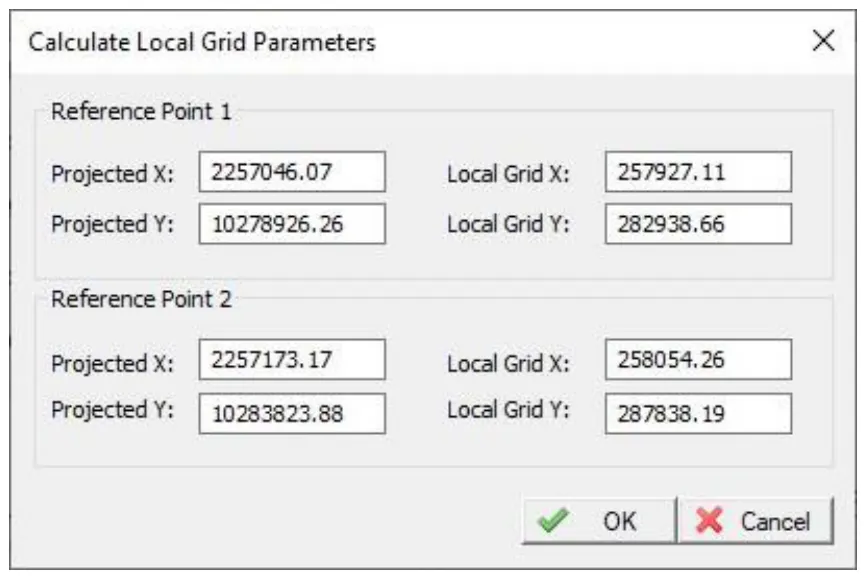
Enter the grid’s geodetic parameters (projection, units, ellipsoid), then give two pairs of reference coordinates, each point in both the local / mine grid and the standard grid. Hydromagic calculates the local grid from them.
- Go to Options › Manage Coordinate Systems to open Modify Coordinate Reference System.
- Press Add to create a new grid (don’t rename it yet) and enter all the geodetic parameters.
- Press Local Grid. Leave the next screen blank and press Calculate.
- Enter the two reference points, each in local / mine grid and the standard projection, and press OK. The transformation parameters fill in automatically.
- Press OK twice. The new grid appears as a User Defined grid called “Unknown PCS”, with a unique ID.
- To rename it, select it, press Modify and change the name. (Renaming only works after the grid has been created.)
- When you create a new project, select the new local grid.
If you’re using NTRIP corrections with a CEE ECHO™, its RTCM input port can be connected to a PC serial port that outputs the corrections. With a CEESCOPE™, see network RTK (NTRIP).
Equipment used

Talk to US
Need a hand with your set-up?
Our engineers answer survey questions every day.