
Knowledge base › Survey guide
Survey guide
How do I connect the CEE-LINE™ to a Trimble TSC3?
Plug the CEE-LINE™ into the TSC3 with the combo USB / DB9 cable: data goes to COM1 at 9600 baud and USB supplies power. In Trimble Access, add the echo sounder files, set the survey style’s echo sounder to NMEA SDDBT on COM1, and survey with continuous topo at the shortest interval. Or use the Geometius BathySurvey app for full control of the echo sounder from the TSC3.
COM1 TSC3 DB9 port
9600 baud rate
SDDBT output format
10 Hz CEE-LINE™ output
The CEE-LINE™ brings a hydrographic-grade transducer and processor to entry-level surveys with GNSS data collectors. It’s powered by the data collector over USB and sends data over one cable, with no charging, batteries or Bluetooth pairing. At 10 Hz, it keeps tracking the bottom into very shallow water. Using a newer controller? See TSC7 or TSC5.
How do I connect it?
Use the CEE-LINE™ combo USB / 9-pin cable. Data goes to the TSC3’s physical DB9 port, which is always COM1; the USB plug only supplies 5 V power. The default baud rate is 9600; it can be changed inside the echo sounder, but there’s no reason to.
Option 1: Trimble Access
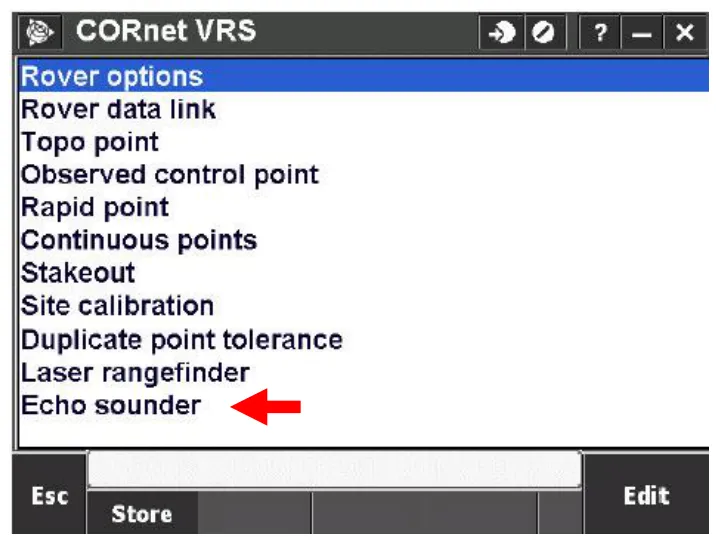
- Add echo sounder support: copy the Trimble echo sounder protocol description file (from Trimble’s download page) to the controller’s System Files folder.
- Keep the CEE-LINE™ on its factory default output, SDDBT (depth below transducer). Don’t use the CEE STAR format.
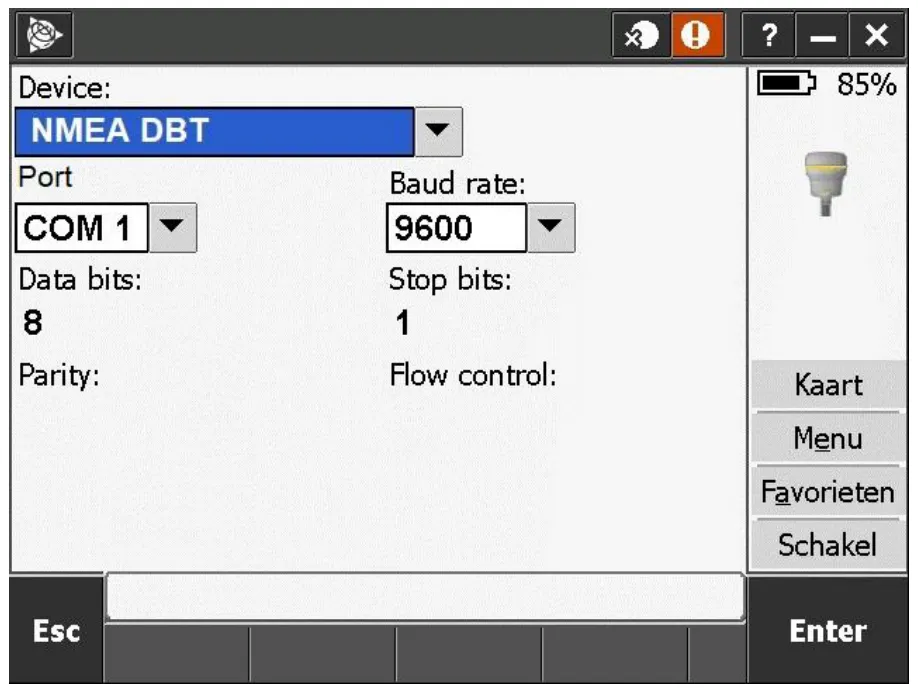
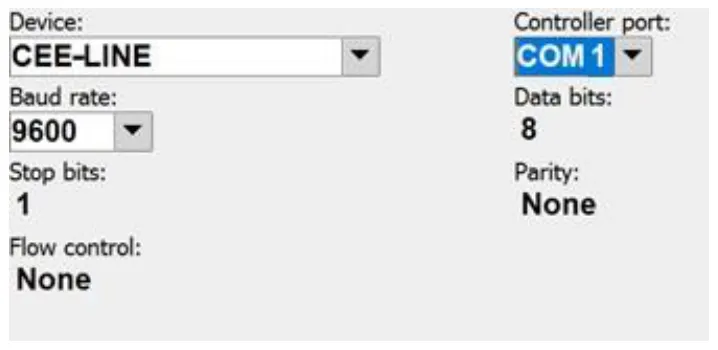
- In the project’s Survey Style, select Echo sounder › Edit and choose the generic NMEA SDDBT device on COM1, 9600 baud, 8 data bits, 1 stop bit.
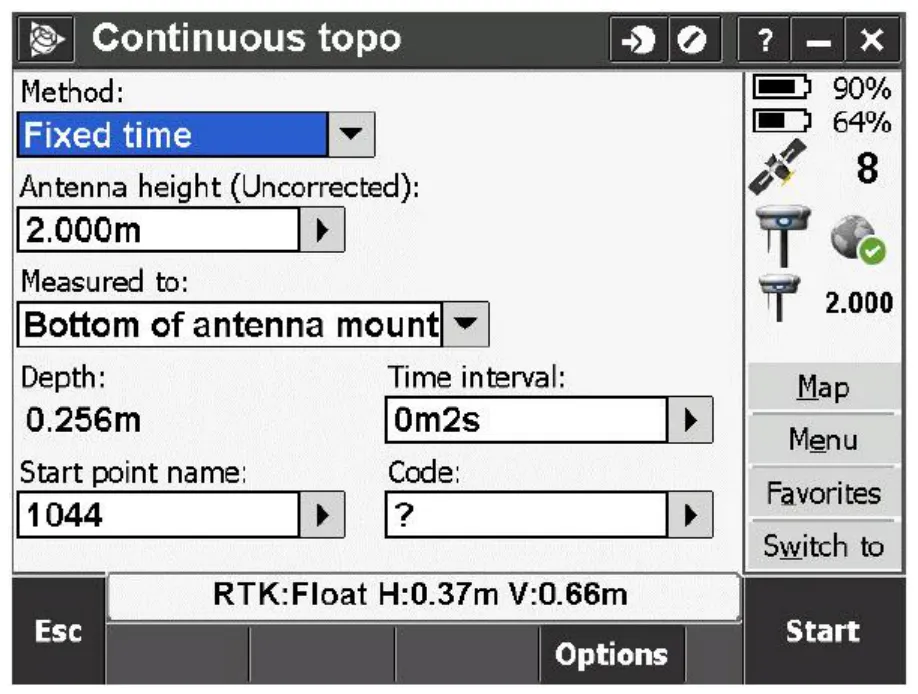
- Use Continuous Topo with a fixed time interval, as short as possible. The CEE-LINE™ gives a new depth every 0.1 s.
- Set the antenna height as the distance from the GNSS antenna to the bottom of the transducer. Measure and note the static draft (water surface to transducer face) too.
- While connected, the latest depth is displayed, but the resulting elevation isn’t. Export depth and elevation from the data file afterwards; a style sheet that writes CSV with depth and elevation in separate columns makes review and QC easier.
- Always test with the transducer in the water and a valid depth showing.
Option 2: Geometius BathySurvey
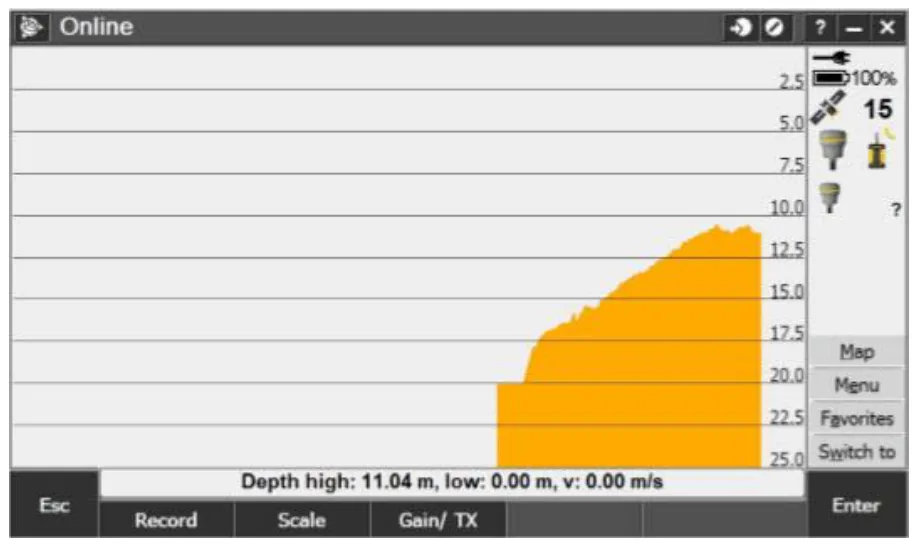
The Geometius BathySurvey app (from the Trimble dealer network) improves the interface for echo sounder work within Trimble Access:
- full access to CEE-LINE™ configuration from the TSC3;
- a scrolling real-time depth chart;
- a bar check wizard for speed of sound calibration;
- changing speed of sound and max depth during the survey.
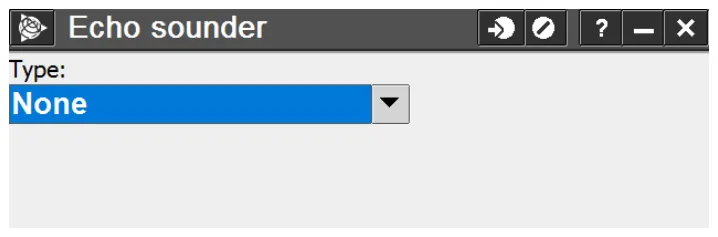
- In Trimble Access › Survey Styles › Echo sounder, set Type to None. This is critical: no echo sounder settings go in Access.
- In BathySurvey, select the CEE-LINE device on COM1 at 9600 baud.
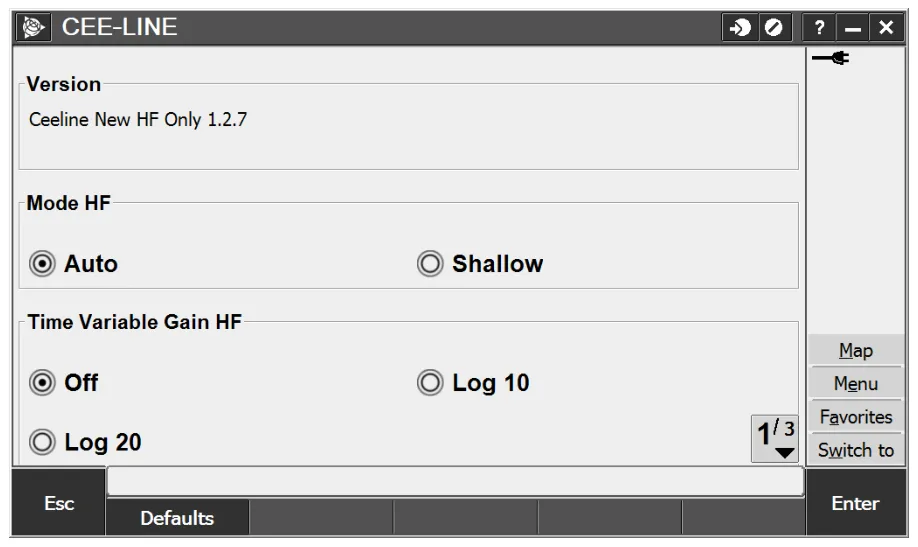
- Set the mode to Auto, best in almost all cases. Only extremely shallow, hard, reflective bottoms may do better on Shallow. Set time variable gain; don’t use Log20, which applies too much gain.
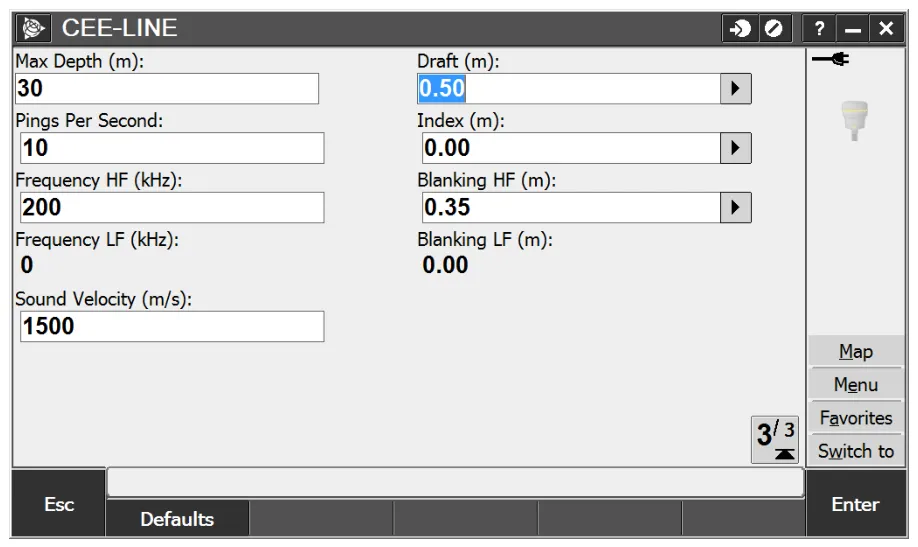
- Set the max depth, draft, blanking and ping rate (below).
- Use the online screen to watch the soundings; Record starts a continuous topo measurement.
- Export with the style sheet supplied with the app, not a standard Access style sheet.
| Setting | Advice |
|---|---|
| Max depth | Critical. Deeper soundings are cut off and can’t be recovered. Always set it deeper than the expected depth; it can be changed during the survey if needed. |
| Draft | If the antenna offset is entered to the transducer, don’t add draft. If it’s measured to the static waterline, add the draft from the water surface to the transducer face. |
| Blanking | Minimum for most shallow water work. |
| Ping rate | 10 Hz for the highest precision. |
More settings advice is in CEE-LINE™ shallow water survey tips.
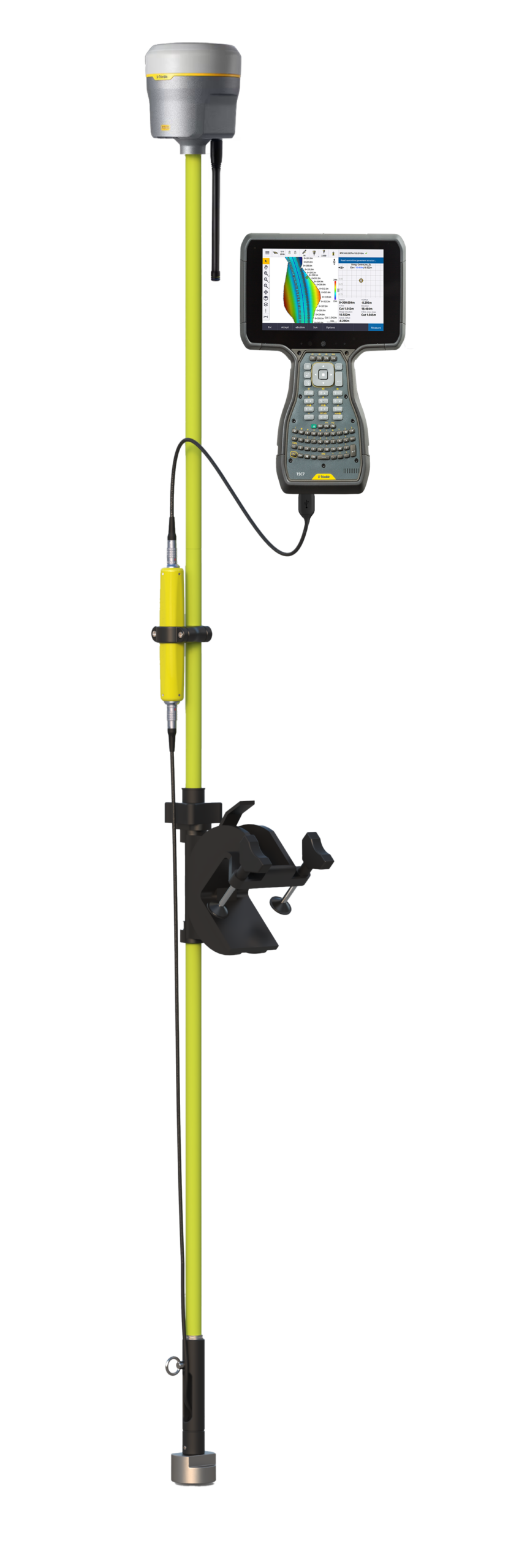
Equipment used
Talk to US
Need a hand with your set-up?
Our engineers answer survey questions every day.